One of the most attractive feature of the Windows Phone 7 platform is the Speech recognition function. Using the Speech recognition WM7 smartphone owners will be able to accomplish standard commands only by using their voice.
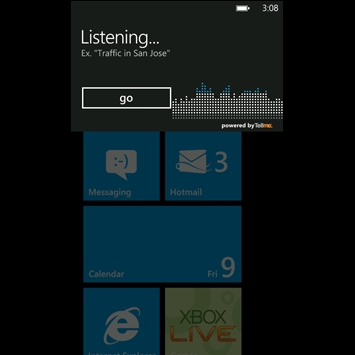
To open the Speech function, one must click and hold the Start button of the phone. When the application opens it will start listening for a voice command.
One of the commands used often with the Speech recognition features is the “Call contact name”, where the “contact name” is the name of a person listed in the phone's phonebook. If the person's contact card includes more than one phone number, then you will get an option to choose which one you want to call.
Users can also choose to call someone by their phone number, if they don't have it stored in the phone's contact list. Simply say “Call phone number”, after the Speech app opens, where “phone number” is the phone number that you wish to call.
"Find search term” or “Search for search term” is another frequently used voice command, where “search term” is the term a user wants to search the web with. Obviously, all searches are made using Bing engine and Bing maps. However, note that the Speech for searching the web feature may not be available in all countries and regions.
The “Open application” or “Start application” voice command cannot be missed, as it greatly reduces the time one needs to open a certain app such as Calendar, Maps or Music.
If you want to call someone using a voice command, but suddenly changed your mind, you can cancel it by pressing the Back button of your smartphone.
Furthermore, WM7 smartphone owners can use voice commands through a Bluetooth headset, as long as it's paired with the phone.
Feel free to suggest your own Windows Phone 7 tips and tricks, especially if you're an advanced user.


